
The Ledger Tab tracks every automated and manual entry on your loan, and gives lenders tools to record payments and make adjustments.
Making a Manual Entry
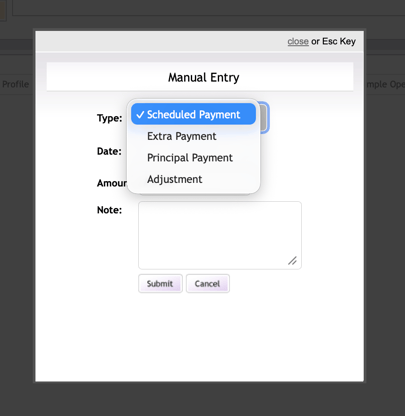
Lenders can record payments received outside the ZimpleMoney system or make adjustments to interest, principal, or fees. Manual entries fall into four types: Scheduled Payment, Extra Payment, Principal Payment, or Adjustment. Select the entry type from the Manual Entry option on the Ledger Tab, fill in the required fields, and submit.
Steps:
- Open the loan contract.
- Select the Ledger tab.
- Click Manual Entry.
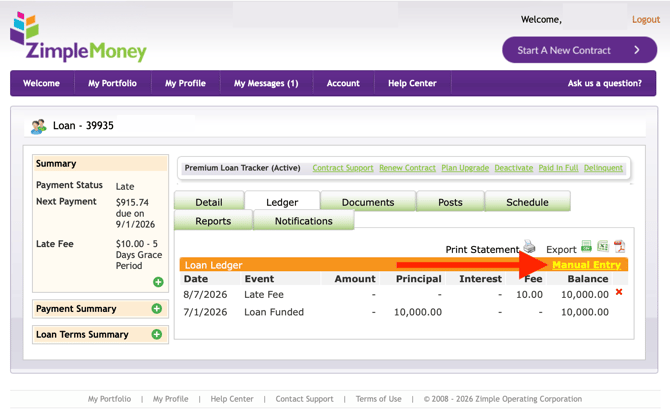
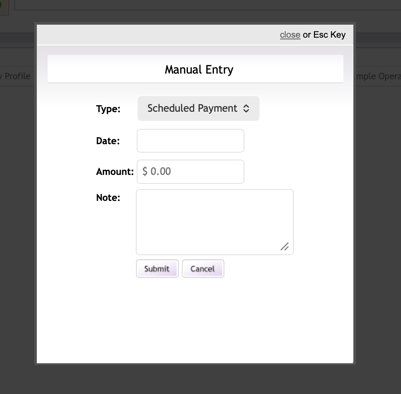
4. Select the appropriate entry type (Extra Payment, Principal Payment, Adjustment) and enter the adjustment date, amount, and a note (description). Click Submit.
5. The manually added ledger entry will now appear on the Loan Ledger.
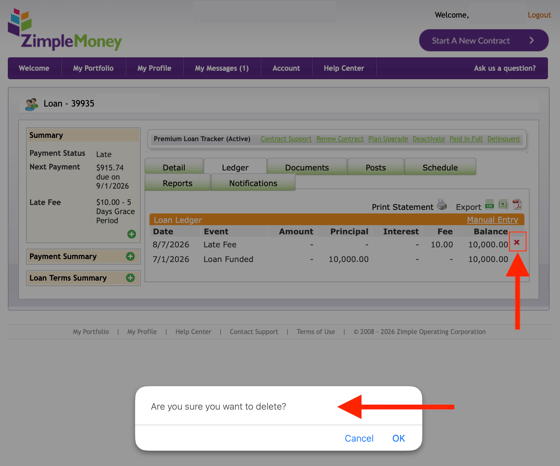
6. If you make an error, locate the incorrect entry and click the Delete (red X) icon to remove it and start a new manual entry.
Only the loan originator (typically the lender) can make manual payment entries. If you are a borrower needing an adjustment, contact your loan originator.