
As the lender or merchant, you have several tools available to reduce returned payments and keep loans in good standing.
Tools to Reduce Payment Rejections
Before a loan reaches the point of delinquency, try these tools to minimize returned payments and keep the loan current:
- Turn auto-pay on or off to give borrowers time to update account information or recover from a short-term shortfall
- Set reminders to turn auto-pay back on after a temporary pause
- Change the next payment due date to postpone a payment
- Skip a payment when needed
- Use the Post tab inside the loan contract to communicate with borrowers and maintain a permanent record of any agreements or changes
- Temporarily or permanently adjust payment amounts
Best practice: When a payment is rejected, reach out to the borrower directly. A single call to determine whether the rejection was an oversight, a bank error, or a cash flow issue, combined with a minor due date or amount adjustment, can significantly reduce recurring rejections and keep the loan on track.
When a loan has fallen too far behind and other options have been exhausted, you also have the ability to mark it as Delinquent, which stops future payments from being accepted to help you begin the process of moving the loan into default.
How to Mark a Loan as Delinquent
If a borrower has fallen significantly behind and the tools above haven't resolved the issue, you can mark the loan as Delinquent.
- Open the loan contract from My Portfolio.
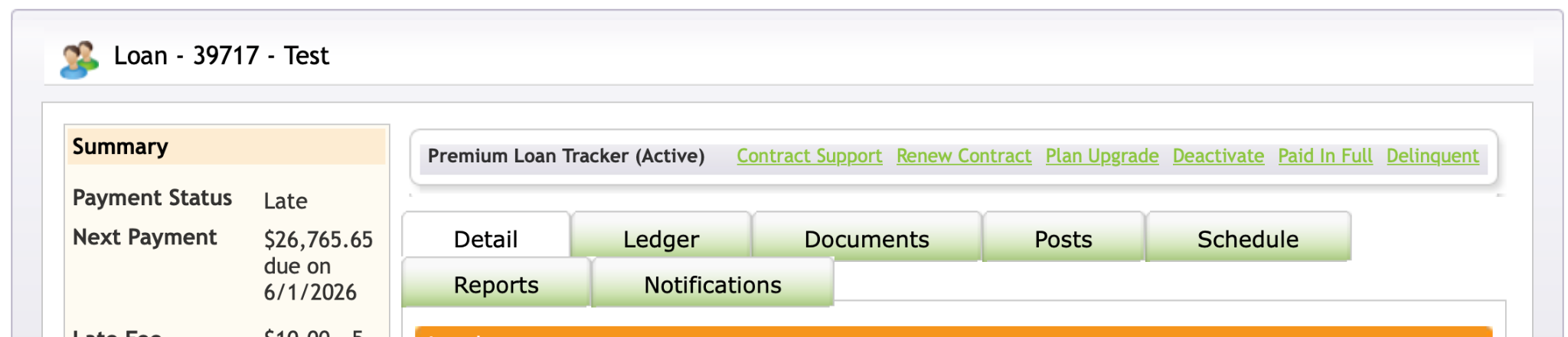
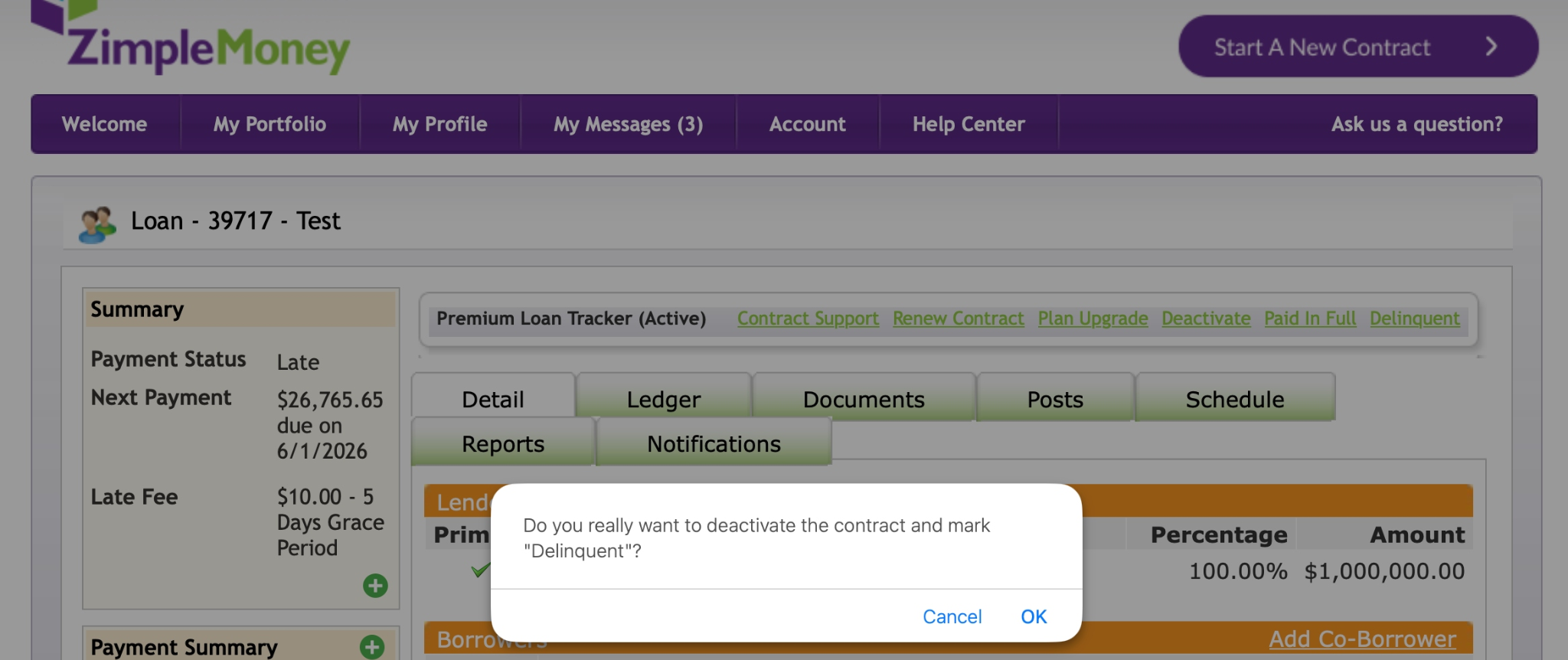
- In the Loan Tracker bar near the top of the loan detail page, click the green Delinquent link.
- A confirmation popup will ask, "Do you really want to deactivate the contract and mark 'Delinquent'?"
- Click OK to confirm, or Cancel to go back without making changes.
Marking a loan delinquent deactivates the contract and stops future payments from processing, giving you a clear starting point for pursuing default proceedings.
Related Options in the Loan Tracker Menu
The same toolbar where you'll find the Delinquent link also includes other contract status options you may need depending on the situation:
- Contract Support – Get help with the contract directly from ZimpleMoney
- Renew Contract – Extend or renew an existing loan agreement
- Plan Upgrade – Upgrade the loan's servicing plan
- Deactivate – End the contract without marking it delinquent
- Paid In Full – Mark the loan as fully satisfied