
Lenders can adjust the current due date and amount directly from the loan contract without needing to renew or recreate the loan.
Changing the Current Due Date
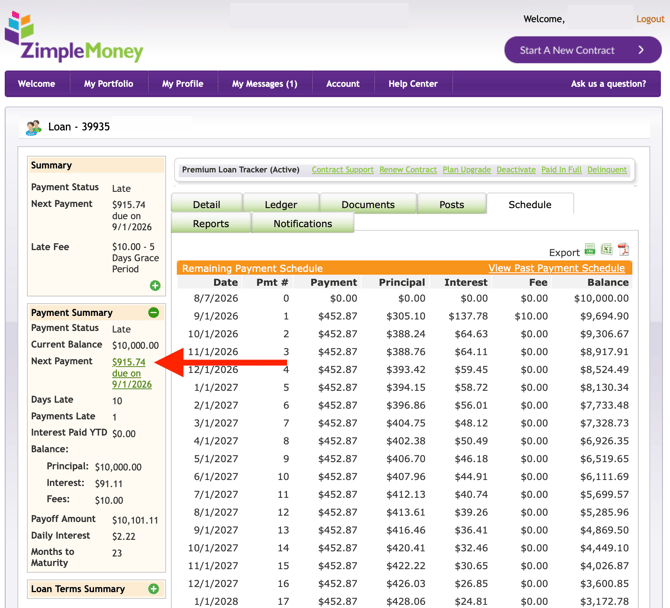
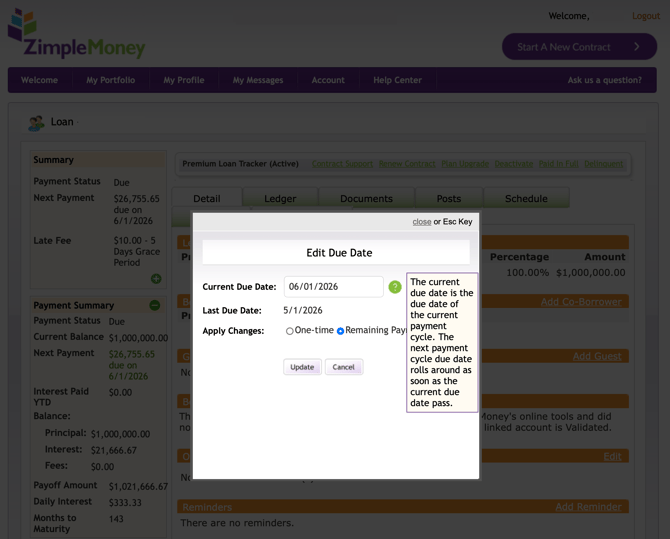
Lenders can make a one-time change to a payment due date or change all future payment due dates. To change the borrower payment due date, click on the green text next to "Next Payment" in the Payment Summary column on the left, as shown below:
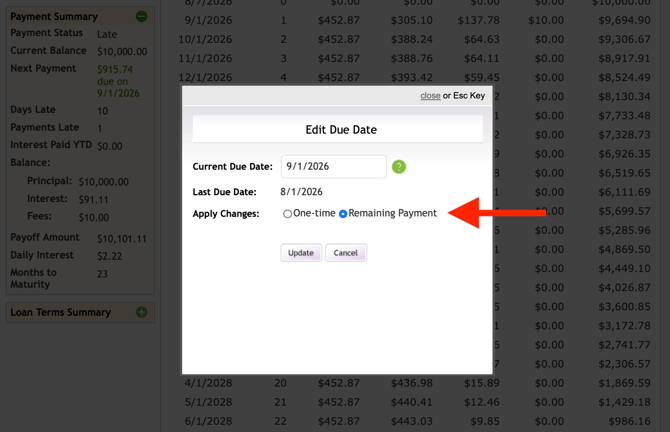
If the payment is past due:
Optionally, you can delete the late payment from the Ledger tab by clicking the red X.
Or, you can mark a past payment as Paid/Skipped by following these steps:
- Select the Schedule tab.
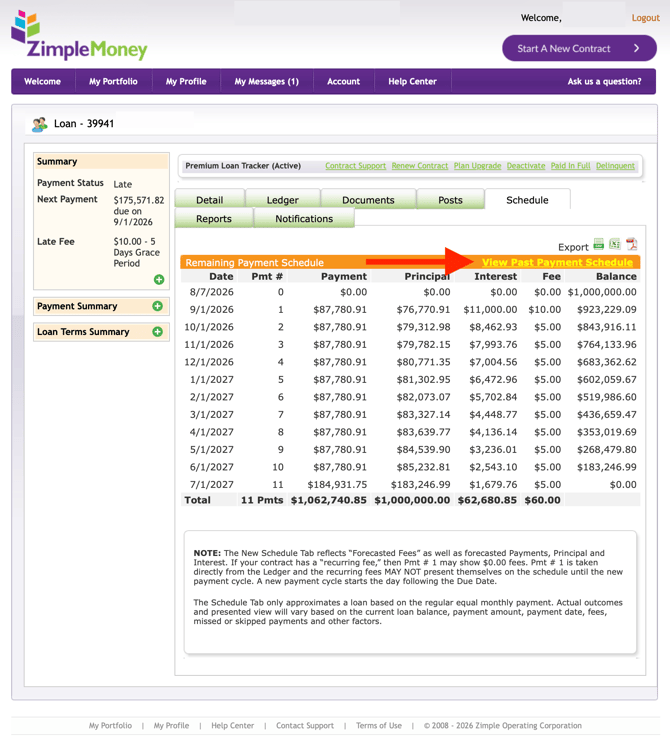
- Click View Past Payment Schedule.
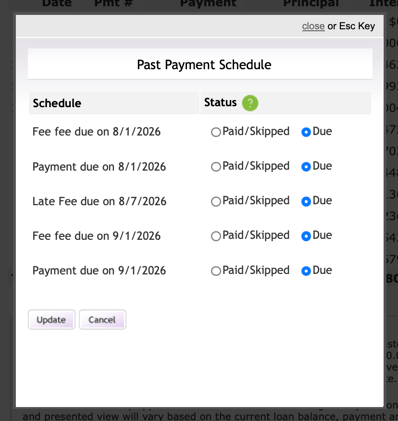
- Mark past-due payments (and up to one payment forward) as Paid/Skipped.
Change Status of Scheduled Payments or Past Payments
Only lenders can adjust the current amount due. To change the status of a payment that is either past due or is coming up, follow these steps:
-
Go to the Schedule Tab
-
Click View Past Payment Schedule
-
A popup window will open showing the most recent payments due and upcoming payments. You as the lender have the option of marking any of these as Paid/Skipped.
Changing the Periodic Payment Amount Due
The periodic (recurring) payment amount is also editable by the lender or contract creator. To edit the periodic payment amount, which is the minimum amount required for each payment cycle, follow these steps:
-
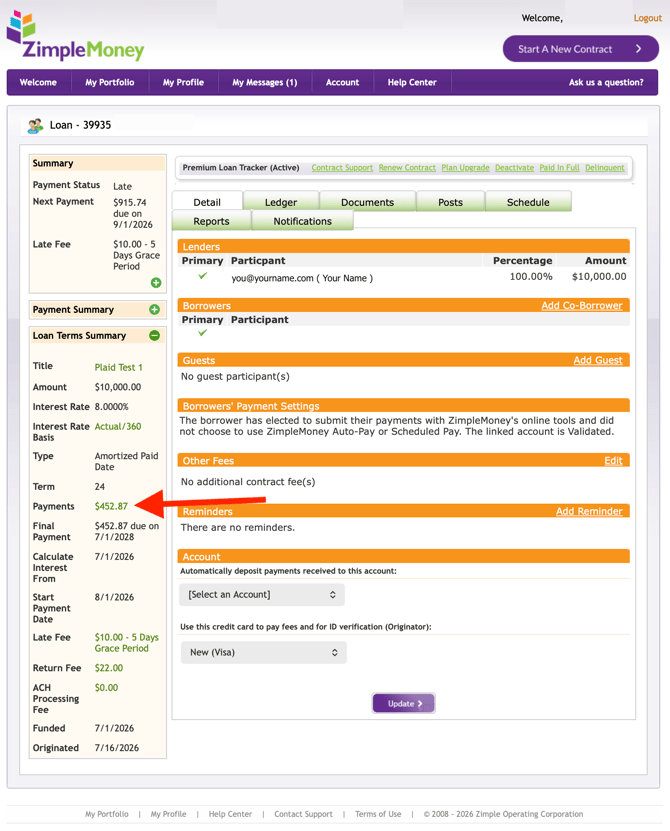
Go to the Details Tab on the Loan Contract
-
Under the Loan Terms Summary column on the left, click on the green text next to Payments (as shown below)
-
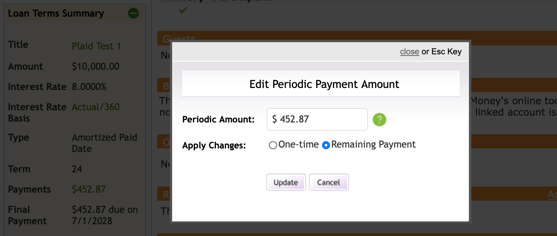
Edit the amount for the payment and select one-time or for the remaining payment amount on the contract.
Note that changing this amount does not re-amortize the loan; if you need a full re-amortization, use the Renew Contract workflow instead.