Borrowers can configure their loan payments to manually pay within ZimpleMoney, set auto-pay, add extra payments or make a principal payment.
The first option on the Payment tab of your loan in ZimpleMoney is to schedule an extra payment. Learn more about scheduling extra payments here.
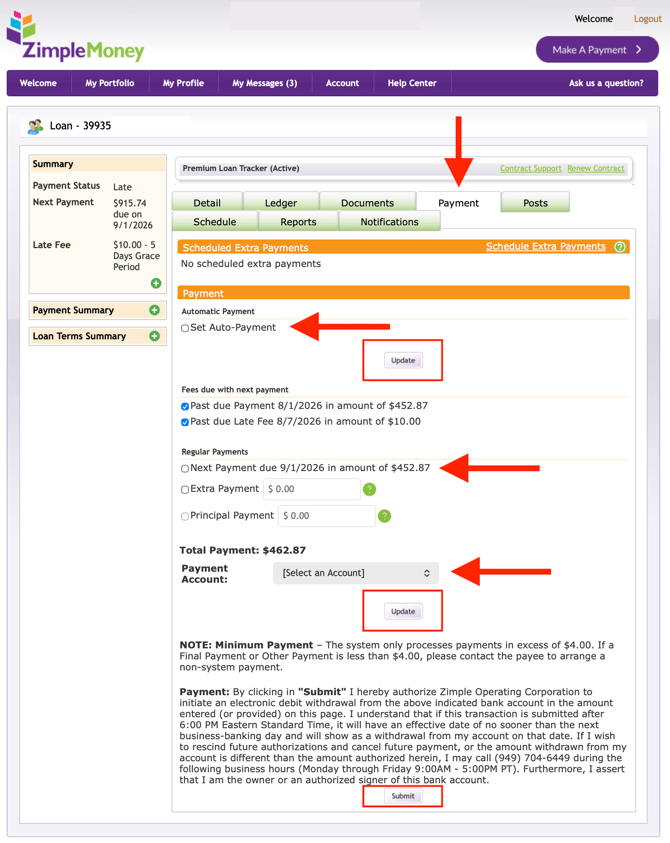
Under the Payment section, there are several sub-sections that require your review.
The first section is Automatic Payment. When setting up auto-pay, check the box next to "Set Auto-Payment" and click the Update button in that section.
The next section is Fees due with next payment which shows you what you will pay, including any outstanding payments.
The third section is Regular Payments. If you want to make a regular payment, check the box next to "Next payment due". You will also have the option to add an Extra Payment and a Principal Payment here as well.
To submit the payment, you will need to select a Payment Account. Once you've chosen your preferred payment account, click the Update button in that section.
Once you've selected your preferred settings for your payment, click the Submit button at the bottom.
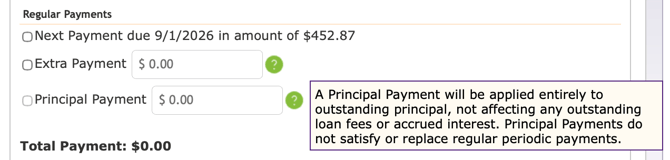
View these screenshots for more details on adding an Extra Payment or Principal Payment under the Regular Payments section:
Extra Payment
Principal Payment
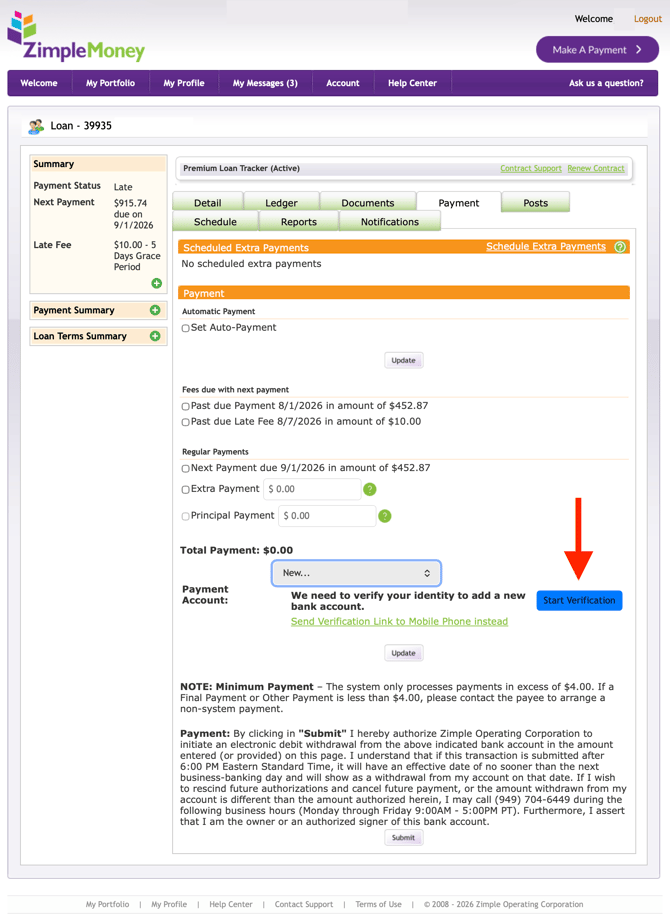
If you haven't yet completed the required identity verification step, you will be prompted to do so when selecting your payment method on the screen indicated below: