
ZimpleMoney provides a dedicated report to help you prepare 1099 and 1098 interest documentation at tax time.
Accessing the Interest Paid & Received Report
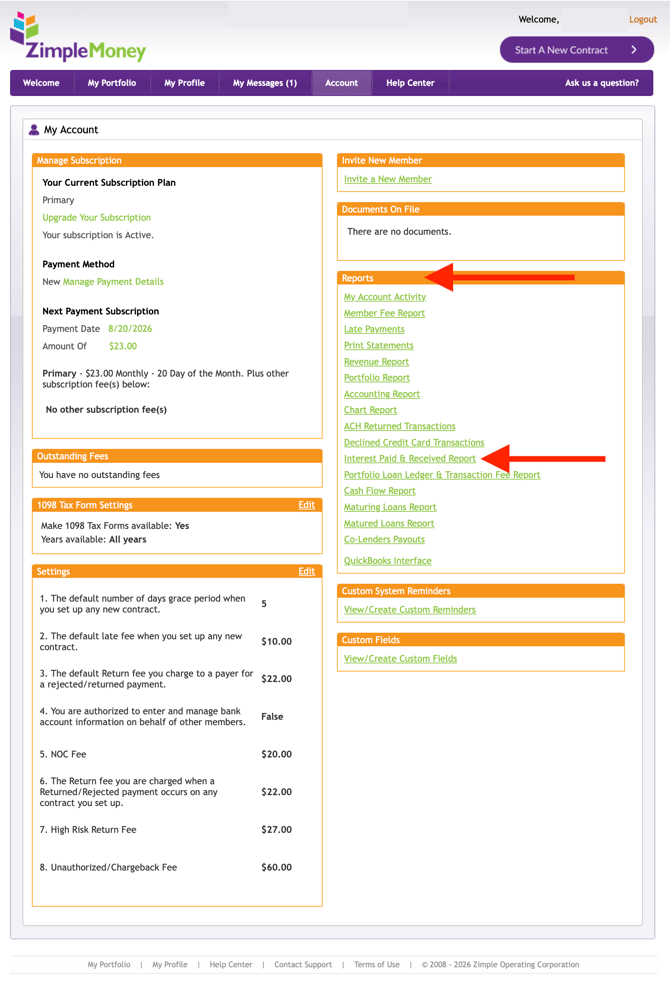
- Go to Account > Reports.
- Locate and select the Interest Paid & Received Report.
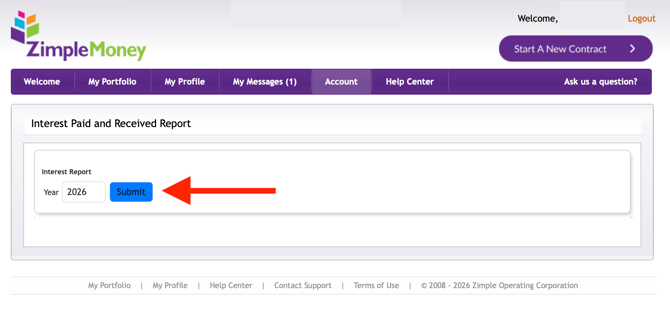
- Review the report, which is built specifically to support your 1099 and 1098 interest payment reporting.
Matching Disbursements to Loans
The report breaks down interest activity so you can match disbursement amounts to specific loan contracts in your portfolio, making it easier to reconcile totals before filing.
Filing your forms:
-
For 1–2 loans, manually enter the data on your 1099/1098 form.
-
For multiple loans, upload the CSV file to a service like Tax1099.com to populate and e-file your forms.
Contact your bookkeeper or accountant if you need additional assistance.