
The Ledger Tab lets both lenders and borrowers generate a record of contract activity for their files or for sharing.
Printing a Statement
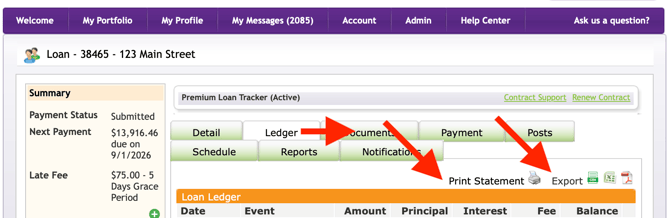
Click Print Statement to generate a PDF of your current contract statement, showing the current amount due and other balances. This is useful for mailing to a party or keeping as a receipt.
Exporting Your Ledger
Click Export as and choose either Excel or PDF to download your full ledger history. Both lenders and borrowers have access to the print and export tools.
Export Life of Loan Report
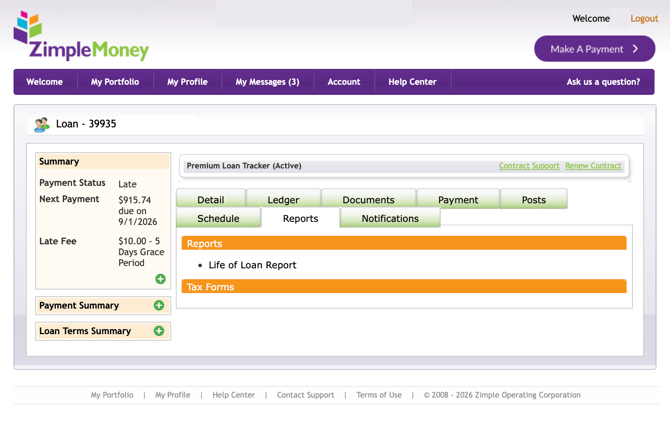
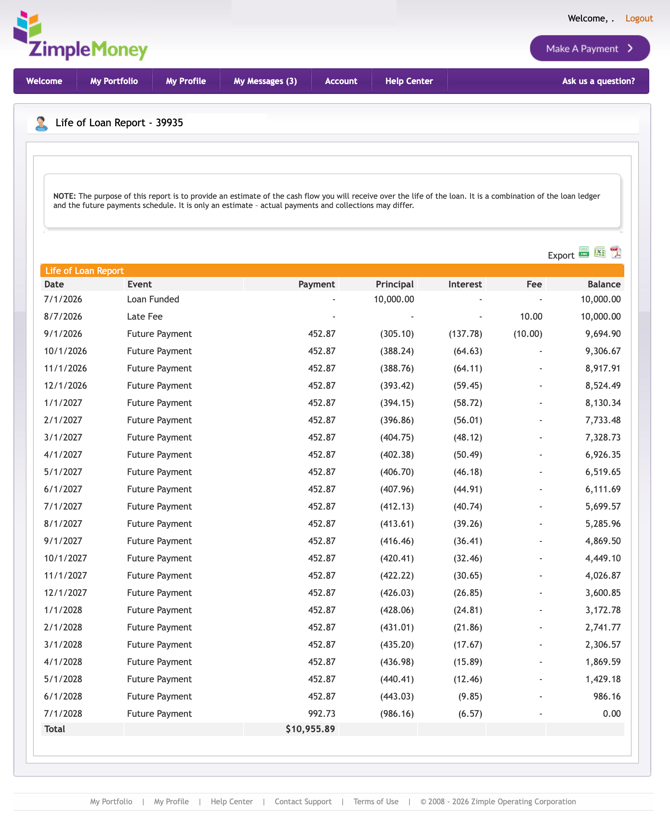
If you would like to print or download a report that shows all payments made and future payments to be made on the loan, go to the Reports tab, then click on "Life of Loan Report":
Exporting Your Ledger
Click Export as and choose either Excel or PDF to download your full ledger history. Both lenders and borrowers have access to the print and export tools.