
Renewing an Existing Contract
-
Open your loan contract.
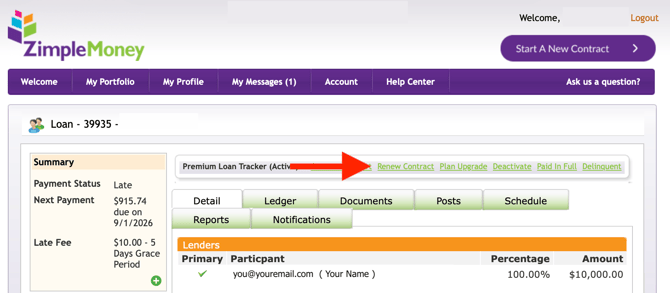
- Click the "Renew Contract" green link above the loan tabs (show below).
A new window will pop up showing the details of what it means to Renew Contract:
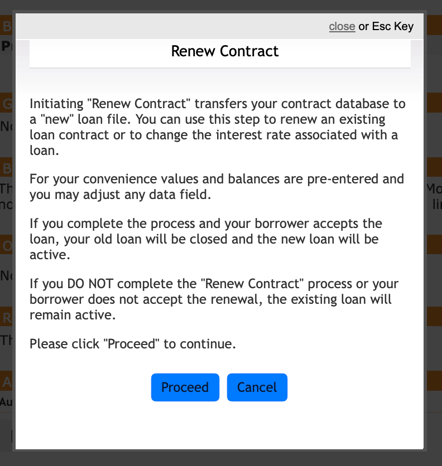
When you click Proceed, a new loan file will be started pre-filled with your existing contract's values and balances, which you can adjust before finalizing.
If the borrower accepts the new terms, your old loan closes and the new one activates; if the renewal isn't completed or accepted, your existing loan remains active.