
The Settings section under your Account tab lets you configure default values that automatically apply to new loan contracts you create.
Configuring Default Settings
- Go to Account > Settings.
- Locate the first three fields — these are editable and represent your default values for grace period, late fee, and return fee.
- Update the values as needed.
Note: The remaining settings on this page are read-only system values and can't be changed.
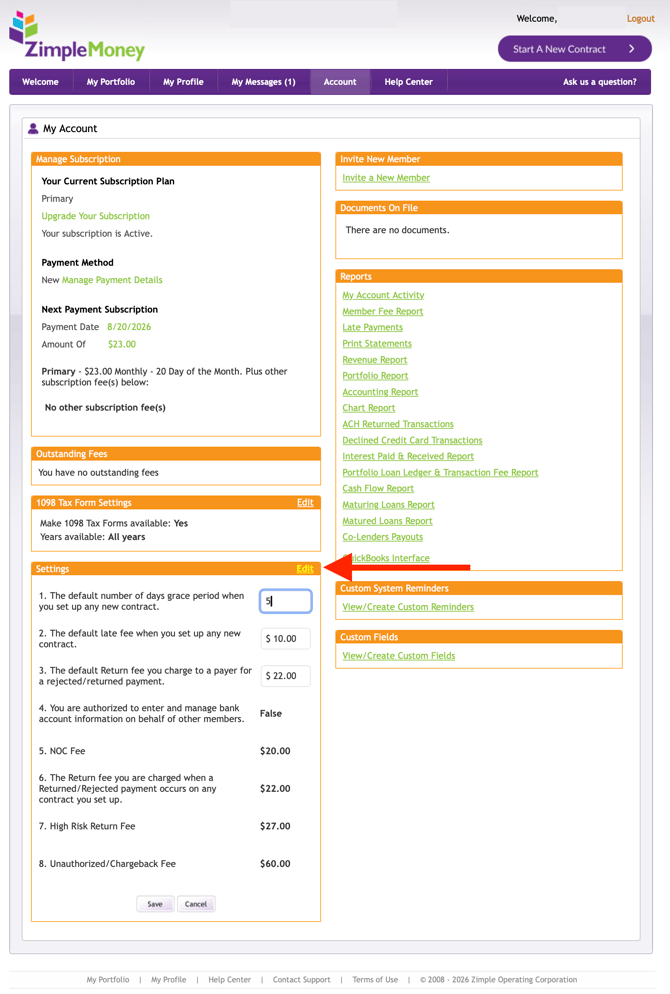
Once set, these defaults automatically populate on any new loan contract you create, so you don't need to enter the same terms each time. You can still override these defaults on an individual contract if a specific loan requires different terms.