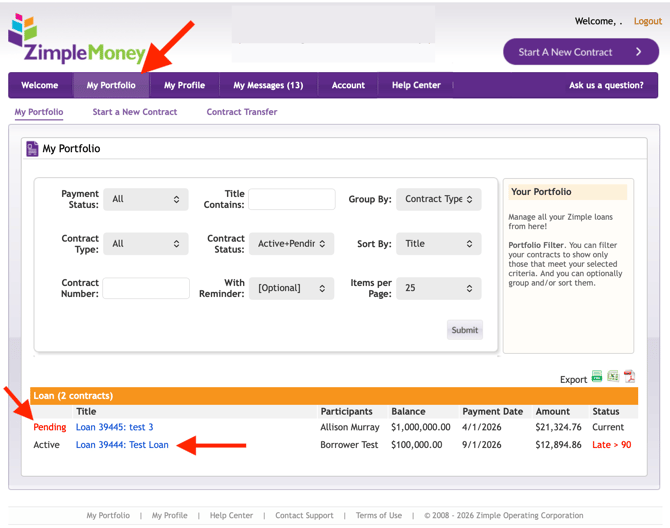
The My Portfolio tab is your central hub for viewing every contract you're part of, whether as a lender, borrower, or guest.
Viewing Your Portfolio
Go to the My Portfolio tab to see all your active, pending, and deactivated contracts in one list.
Reviewing Pending Contracts
Any contracts awaiting your review or acceptance appear at the top of the My Portfolio page, so you can address them first.
Opening a Contract
Click on a contract's title to open its full detail view, where you can review terms, make payments, check the ledger, and take other contract-specific actions.