First, you will need to open up the loan contract. Find the loan contract you want to update under My Portfolio, then click the loan name to open it.
When the loan is open, you will be on the Detail tab by default. Under the Detail tab there is a section called Account. There you will find the option to change the account selection for where you want loan payments deposited for that loan only.
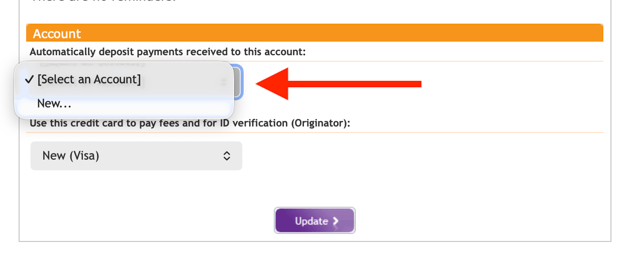
Choose an option from the drop-down menu under Automatically deposit payments received to this account:
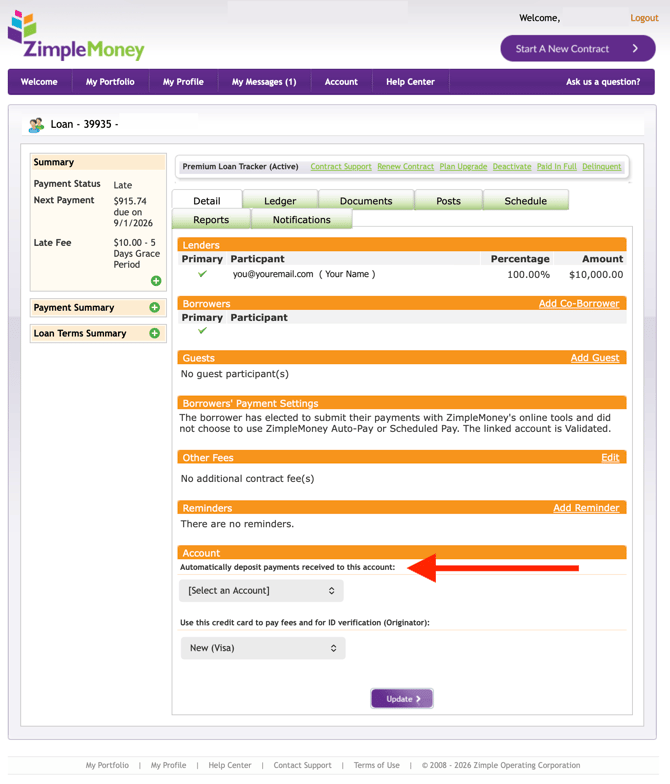
You also have the option to add a new deposit account to the loan contract.
If you choose New... then follow the prompts to add your new account. All deposit accounts need to be verified. Click here for more information on adding a payment method and verifying your bank account.